instructions
1. Introduction
You can start BiQui either with a username and password of your choice [New Game Account] or as a guest [Guest Access]. Please note that, as a guest, you can only play single player games. You can change your guest account to a personal game account at any time by setting up a username and password.
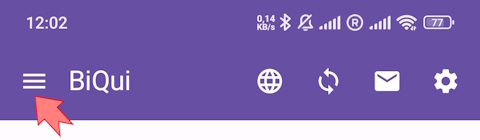
BiQui is currently available in German and English only. BiQui has three levels of difficulty. You can switch between them at any time by clicking Menu > Account at the top left of the home screen.
- Beginner: Very easy and easy questions
- Advanced: Very easy to moderately difficult questions
- Expert: Easy to very hard questions
2. Starting a new game
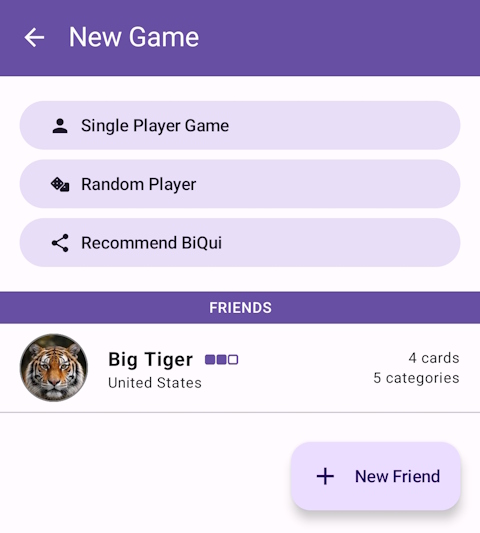
Click on New Game to start a game alone [Singleplayer Game] or with someone else:
- You can add a friend to your friends list and then start a game with them.
- You can start a game with a random player. The computer tries to match a player who is at a similar difficulty level to you. You will be notified as soon as a player is found (this might take some time).
To add someone to your friends list you need to know their username. Ask your friend for their username and play with friends from your congregation or from other congregations.
3. Gameplay
Each game has 3 rounds. In each round you see 9 question cards from different categories and with varying levels of difficulty. In the beginning, you may play only 4 cards. Later you may play more cards.
 If you answer 3 questions in a row correctly (horizontally or vertically), you will receive double points.
Click on a question card to open it. The app gives you 30-40 seconds to answer the question.

 For many questions, you can view the source after answering so you can explore the topic further.
A round ends after you have answered the number of questions available to you. You can start another round afterwards. After 3 rounds the game will end and your points from each round will be added to give your score.
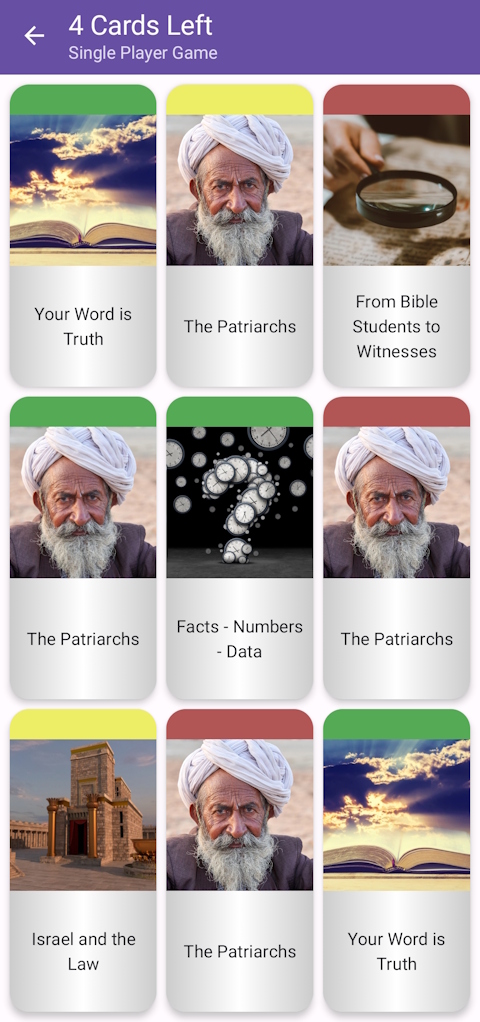
BiQui has 10 categories (topics). Initially, you can play cards from 5 of them. As you progress, you unlock more categories.
The color of the question card indicates the level of difficulty. The more difficult the card is, the more points you will earn for a correct answer.
Beginner:
 very easy question [10 points]
  easy question [15 points]
Advanced:
- very easy question [10 points]
- easy question [15 points]
 moderately difficult question [20 points]
Expert:
- easy question [10 points]
- moderately difficult question [15 points]
 hard question [20 points]
  very hard question [25 points]
The blue question cards (very hard questions) are only shown after reaching a certain score (see point 5) are not visible at the beginning.
 If you want to know more about the categories and levels of difficulty available to you, please click on Menu > Personal Records at the top left of the home screen.
4. Special game features in multiplayer mode
In multiplayer mode, each player has 72 hours to end a round. The score for each player will only be shown after both of you have finished the round. Since both players are not playing at the same time, this feature allows each player to play at a time convenient for them. It may therefore take some time until the other player has finished the round. Please be patient. You will be notified as soon as the other player has started playing again.
If one of the players did not resume/finish the game within the allotted timeframe, the game will be considered forfeited by the player who did not finish the round.
You can also send a message from a list of pre-defined messages to the other player. We do not use an open chat on the app. Reasons for this are stated in the FAQs.
How many categories and cards can be played is also based on the other player. If you already play 9 categories and 5 cards per round but you are playing with a player who only plays 7 categories and 4 cards per round, the game automatically uses the lowest amount of categories and cards in a round. The same applies to the difficulty level. If one of the players selects a lower difficulty, the game will start with questions from that level.
5. Levels
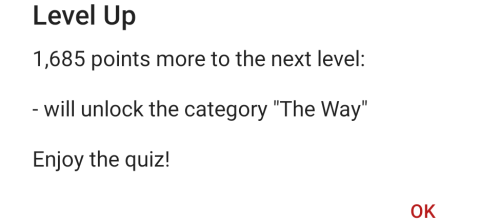
You start as "Beginner". After your score reaches 3,000 points, you will be upgraded to the next level, "Amateur". The category "The Way" will be unlocked and you will receive a lifeline. We will not detail more about the next levels here. Let yourself be surprised!
With each level reached you will receive one or more of the following things:
- A new category will be unlocked.
- You are allowed to play one more card each round.
- A new question type will be unlocked.
- For some categories, the very hard questions (blue) will be unlocked.
- You will receive one or more lifelines.
Tap your profile on the home screen to see how many points you need for the next level and which new features you’ll unlock.
6. Lifelines
 50:50 Lifeline: Two wrong answers disappear, leaving you two answers to choose from.
 100% Lifeline: This guarantees you get the answer right, but can only be used after you have used another lifeline.
 Ask the Audience Lifeline: The answers of the last 10 players will be displayed, but were they right?
 Stop the Clock Lifeline: The timer for your question will be stopped so that you have time to search for the correct answer.
There are different ways to receive lifelines:
- When adding your profile picture, you receive a lifeline.
- When you reach a new level, you receive one or more lifeline(s).
- For every 5 games completed with a random player, you receive a lifeline.
- If you send a referral link via New Game > Recommend BiQui and the other player enters your username in the “Referred by” field when creating a new game account, you’ll both receive several lifelines.
- For each question sent to us and used, you receive a lifeline.
- Working as a translator: For each translated question, you receive a lifeline.
7. Gaming strategy
When playing with a friend or random player, you both see the same 9 question cards no matter which language you play in.
Choosing your question cards wisely is part of the strategy. Sometimes you can receive more points by answering a row of easier questions correctly and seeing your points doubled. You can also choose the categories which you find easier. Nevertheless, you should always try to answer a row of questions (horizontally or vertically).
If your score is similar to the other player's score after two rounds, use of a lifeline may help you find the correct answer and win the game.
8. Write questions
BiQui depends on up-to-date questions. Weekly, new questions are added. But before these questions are added, they are reviewed.
Who writes all these questions? You, the players of BiQui! Thank you so much!
Would you like to send a question? This is possible after reaching a score of 15,000 points. In the meantime, you can learn which questions are already included in BiQui and get an idea as to what a suitable question for BiQui could look like. Should your question be added, you will receive a lifeline.
Only well-researched, correctly-spelled questions with a definite and up-to-date source can be added to the game. Mentioning a Bible verse as the only source is not sufficient in most cases.
9. Errors in questions
If you notice a content or spelling mistake in a question, you can report it by tapping the bug icon on the question card.

Before reporting a content error, please study the topic again and open up the mentioned sources, if available. You will need to provide additional sources that explain the reason you think the question is not correct.
Any reported question will be removed from the game immediately. After the facts are reviewed by one of the editors, the question will either be corrected, deleted or reinstated to the game without changes.
10. Your attitude while playing
Please be balanced when playing. BiQui is a game – it is not a competition. This game should not replace your personal study.
Do not be discouraged if you cannot answer many questions now. Look at it as an opportunity to discover new things and to learn.
In the multiplayer mode, you may note that the other player has chosen different question cards to you. This is a strategic element in BiQui to help avoid misplaced competition.
11. Support BiQui
Thank you very much for supporting the development of BiQui. Different options are available here.
12. Questions?
Please visit the FAQs page.